
LearnEase logo featuring stylized overlapping books with sparkles beside the text LearnEase.
Michael Khor | Mira Sun | Juan Munoz Navarrete | Kelly Chiang

Context

LearnEase was a group project where we were given a topic and asked to design a mobile app concept. We followed a structured, ui/ux design process, which included multiple presentations to share and refine our progress.

Our topic explored how digital design can support newcomers to Canada in navigating language and cultural challenges.
Research
We explored how language and cultural differences affect newcomers day-to-day lives and sense of belonging. We wanted to understand how they find learning resources, deal with unfamiliar situations, and what kind of support really helps them feel more confident.

Based on these insights, we designed a scenario-based experience that integrates language learning with real-world contexts.

Team Roles & Collaboration
Our team of four made sure everyone contributed equally by having each person design one core feature of the application based on the given topic and research insights. We brainstormed individually, then came back together to combine our ideas and shape a cohesive product direction.

Early Stages
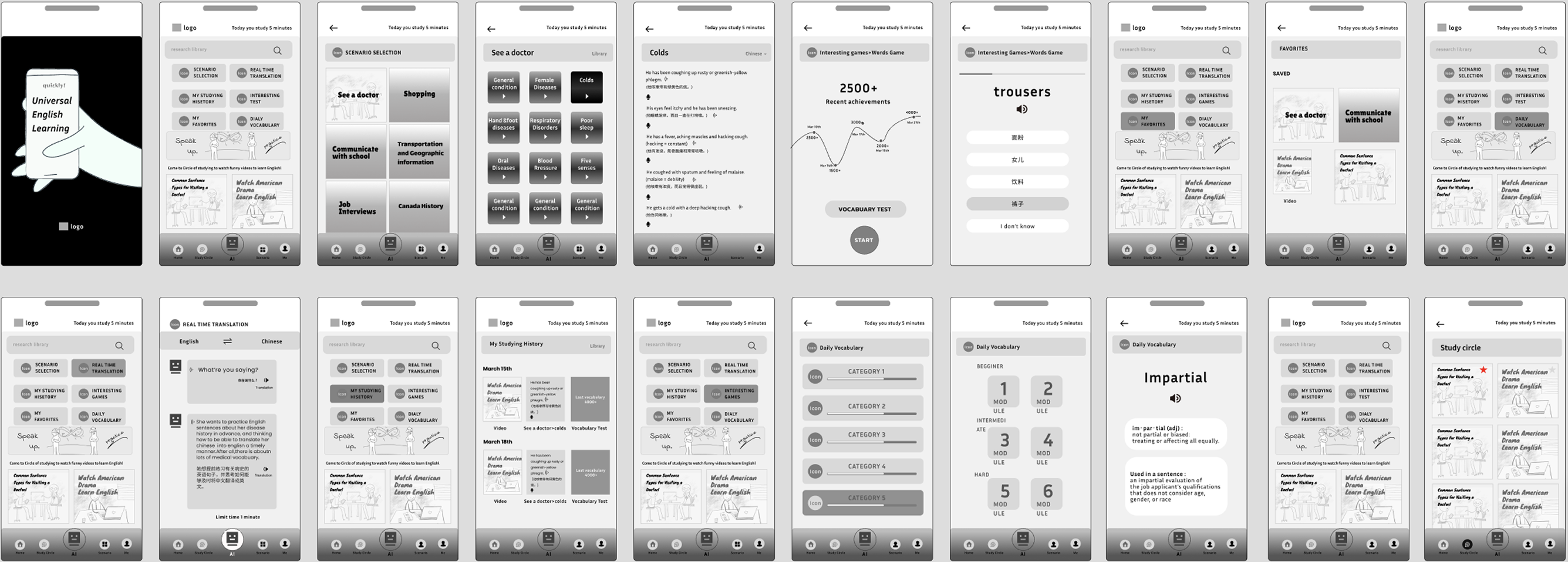
These low-fidelity wireframes show the initial iterations of each team member’s core feature, brought together after shaping the app’s overall structure.
Grid of 20 mobile app screens showing an English learning app with vocabulary categories, translations, quizzes, and study tools.

Below are the high-fidelity prototypes of each core feature, brought together to form a complete application experience.

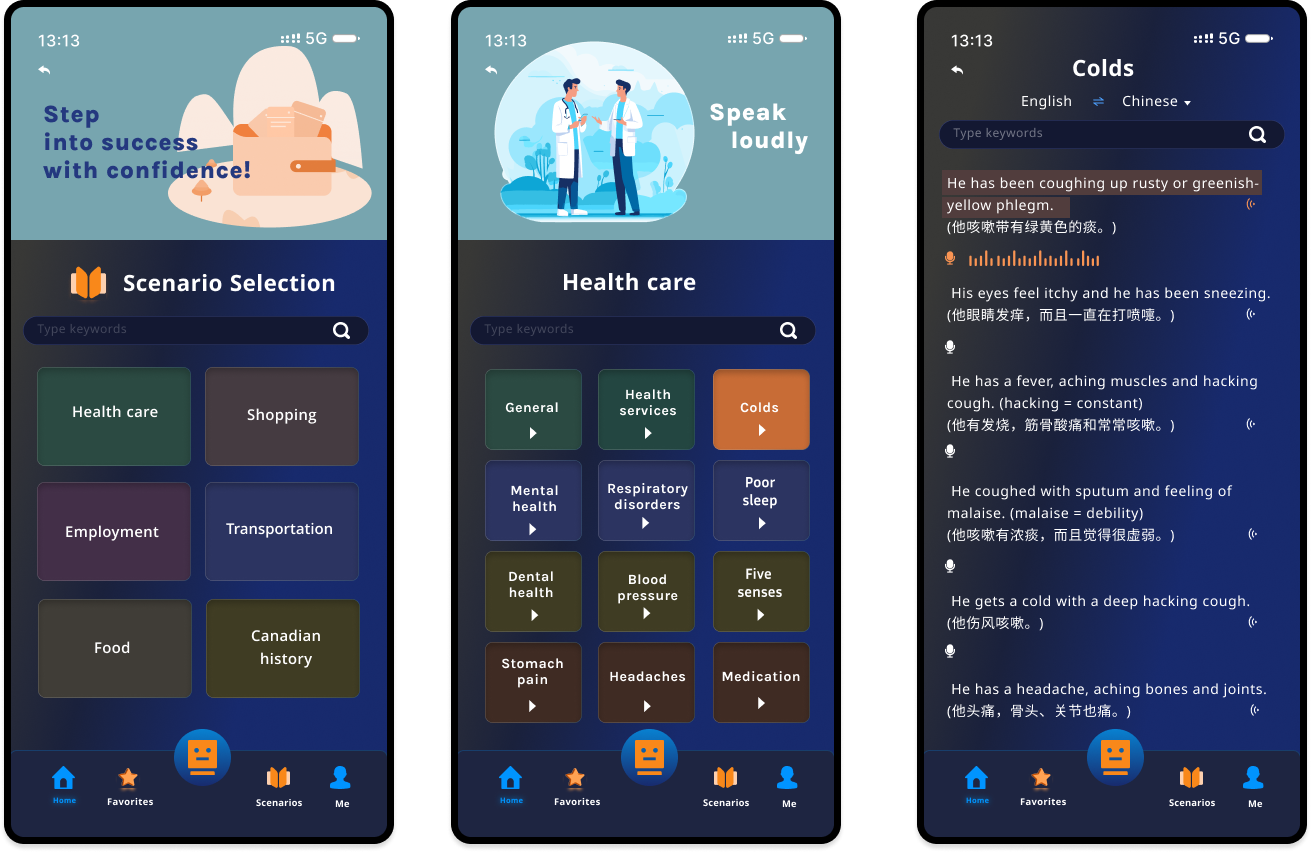
1. Scenario Selection
Helps users practice English in everyday situations, like at a restaurant, while shopping, or on public transit. Vocabulary and phrases are grouped by scenario, so learning feels structured and easier to follow.
Three smartphone screens showing a medical app: a home screen with a 'See a Doctor' menu, and two screens displaying English-Chinese cold symptoms with text and audio icons.
2. Instant Translation Support
Acts as a handy companion that gives instant translations during conversations or questions. It helps users communicate confidently and feel more comfortable in unfamiliar settings.
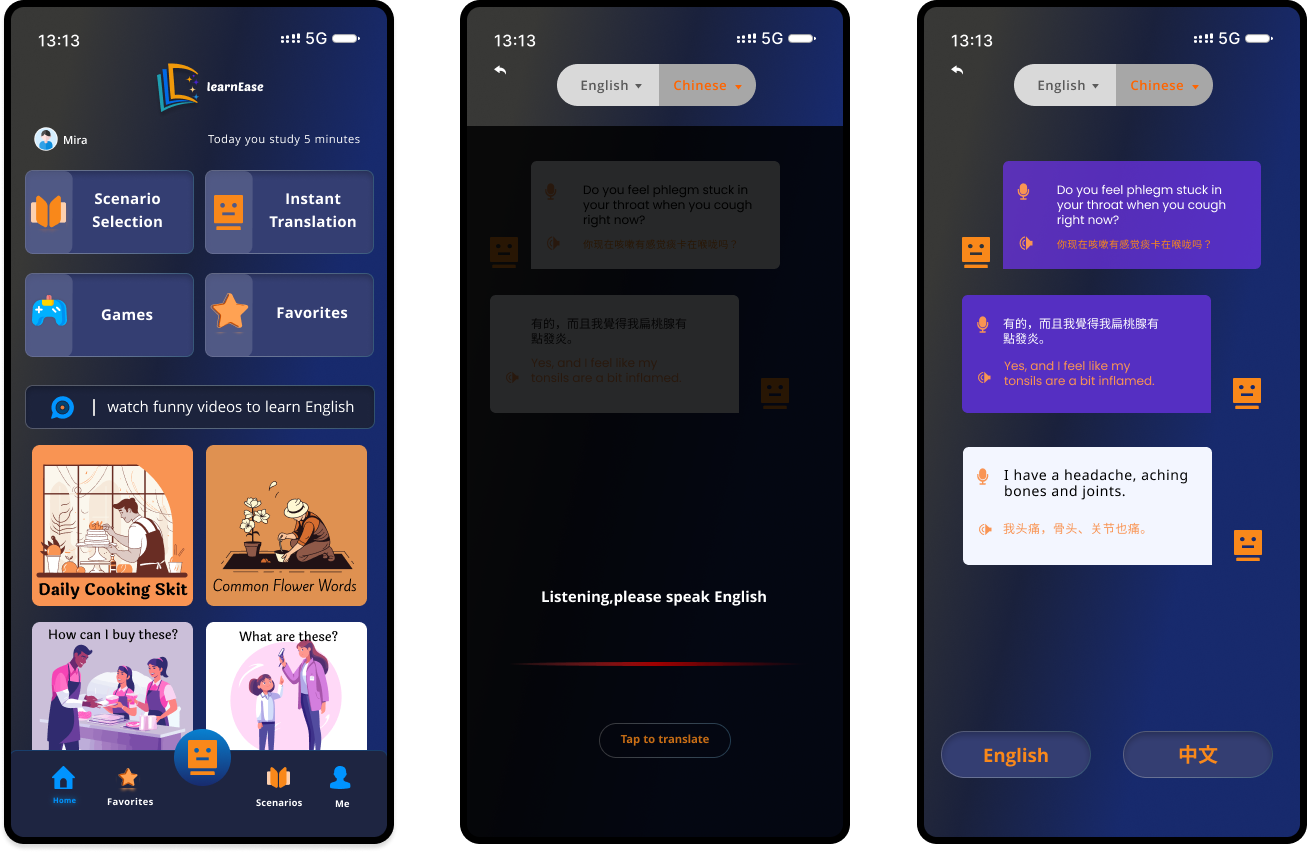
Three mobile app screens showing learnEase interface: main menu with study options, real-time translation language selection with auto-detect toggle, and conversation translation between English and Chinese texts.
3. Personalized Content Library
Enables users to organize, save, and revisit preferred vocabulary and phrases. Functions as a personal, customizable reference to support ongoing language learning.
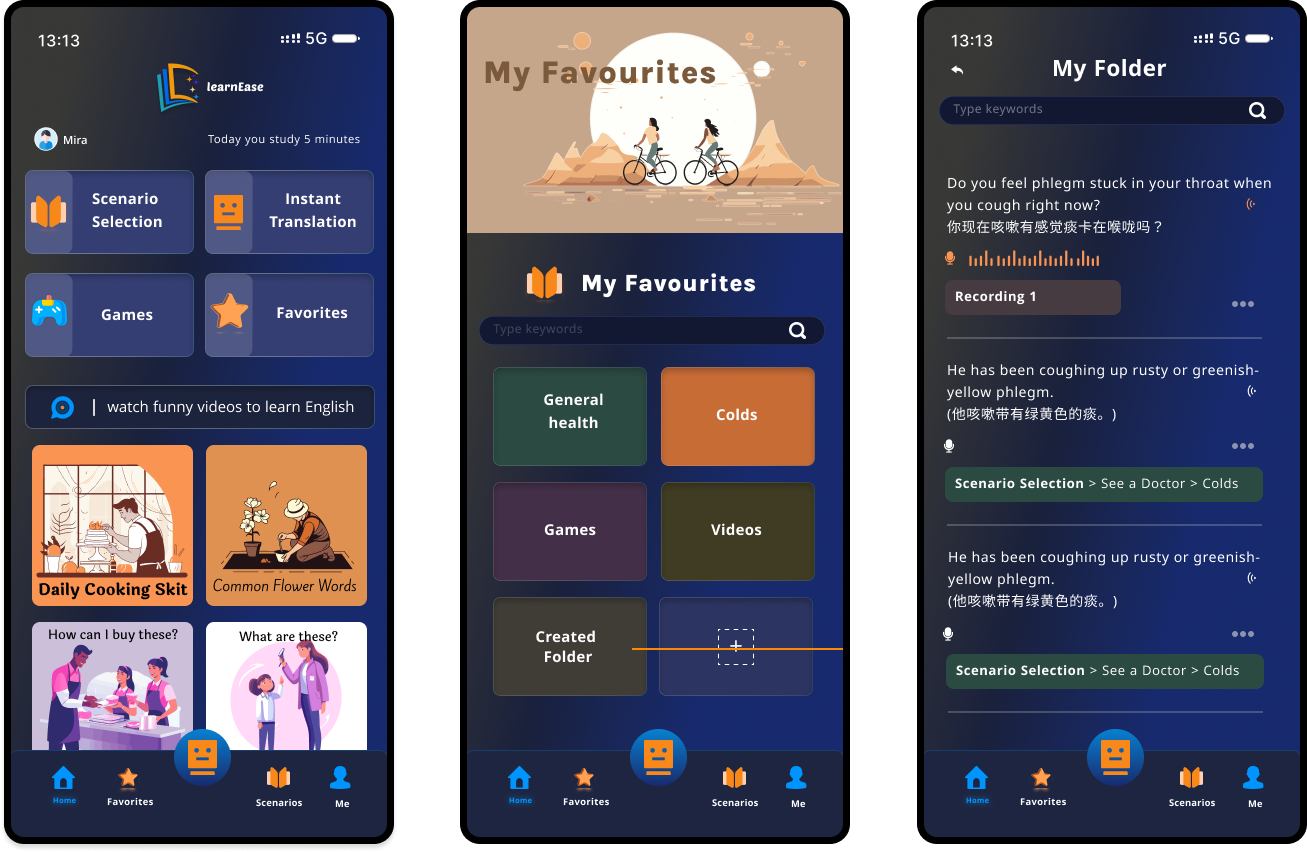
Three mobile app screens showing LearnEase interface with study options, favorites, and translated health-related text.
4. Word Games
Features interactive quizzes, word puzzles, and language trivia to boost motivation, and reinforce English skills through play.
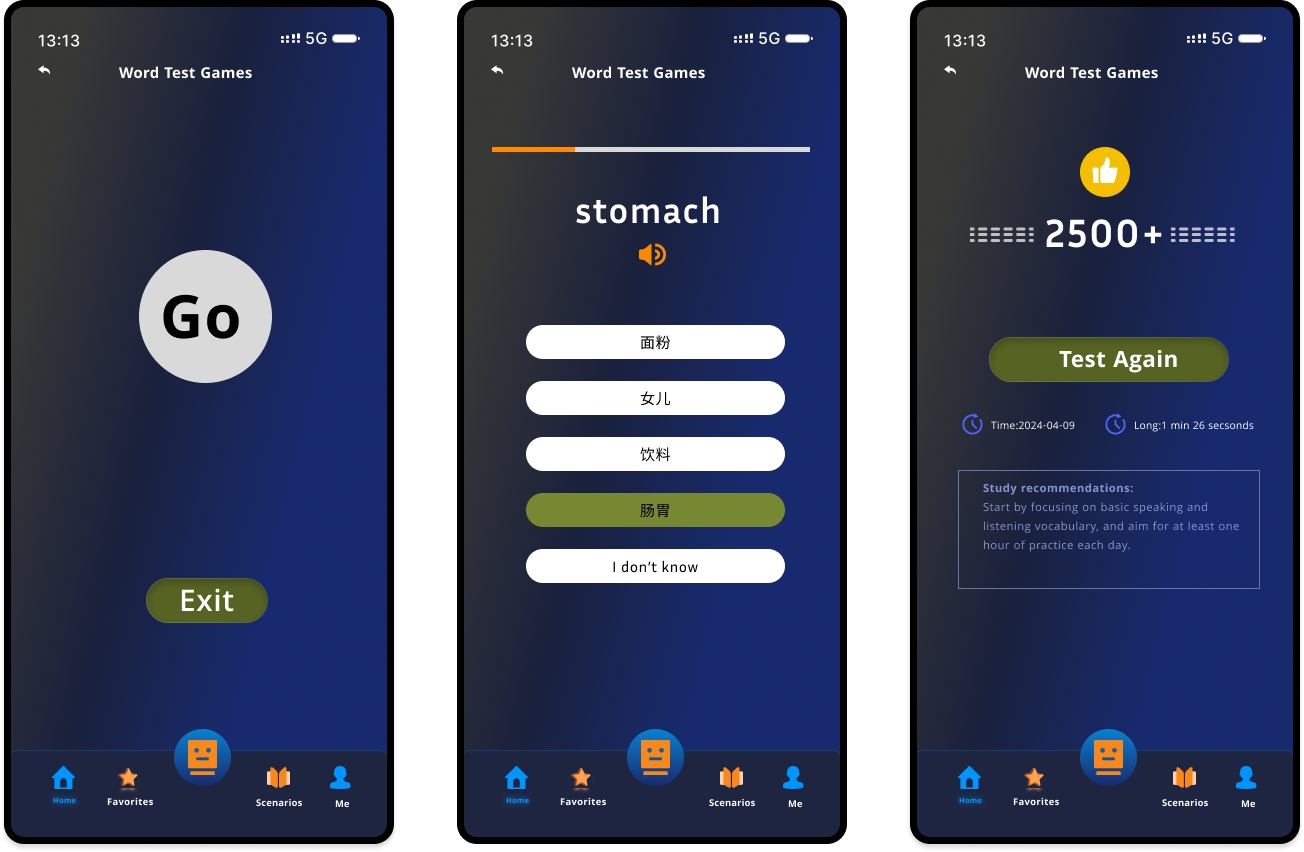
Three smartphone screens showing a word test game: the first with a large 'Go' button and an 'Exit' button; the second displays the word 'stomach' with five answer choices in Chinese and an option 'I don't know'; the third shows a score of 2500+ with a 'Test Again' button and study recommendations.

Conclusion
This project was a key experience in turning research into design decisions. It also showed me how different designing as a team can be compared to working solo. Overall, it was a really valuable experience that helped me better understand the design process.